
• Contact Us
  • Subscribe Us
  • Unsubscribe
  • Home
  • News
  • Entertainment
  • Fashion
  • Gadgets
  • Technology
No Result
View All Result
Technology Event Hub
No Result
View All Result
Home Uncategorized

ECG coming soon for Apple Watch users in Mexico with watchOS 8.6

admin by admin
May 13, 2022
in Uncategorized
0

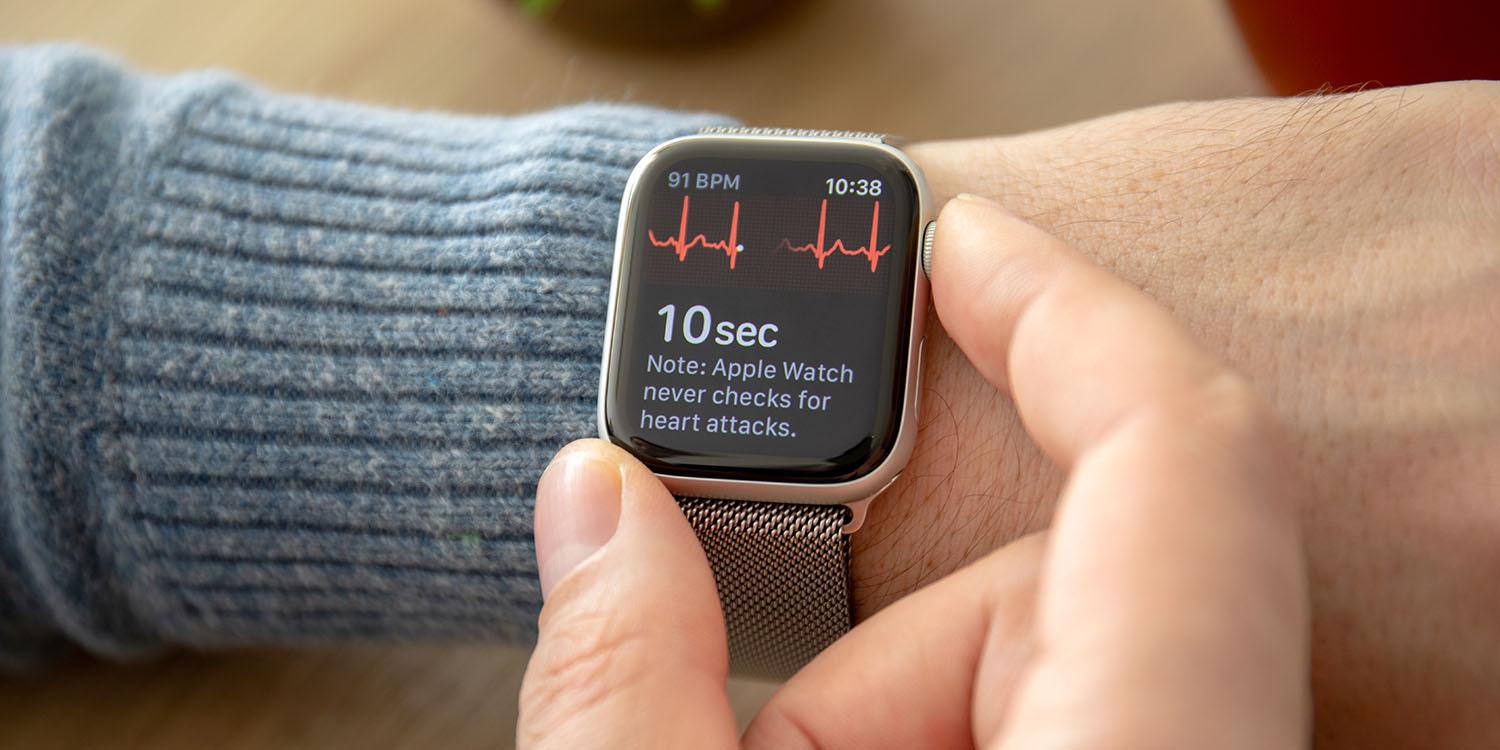
Earlier today, Apple released RC (Release Candidate) builds of iOS 15.5, macOS 12.4, tvOS 15.5, and watchOS 8.6. While the updates bring only minor changes and improvements, Apple has now confirmed that the watchOS 8.6 update enables ECG and other health features for Apple Watch users in Mexico.

The ECG app allows users to take an electrocardiogram, measuring the electrical pulses of your heart. There are also irregular rhythm notifications, which check whether your heart rate remains above or below the recommended rate while you have been inactive for 10 minutes.

Both ECG and irregular rhythm notifications were already available in multiple countries, including the United States, UK, Canada, Australia, Brazil, Portugal, Saudi Arabia, and Japan. Now these features are coming to Mexico as well.

There’s no word on when watchOS 8.6 will be available to the public, but we expect it to be released as early as next week.

For more information on how to do an electrocardiogram using your Apple Watch, check out 9to5Mac’s special guide. You can also see the full list of countries where the ECG app is supported on Apple’s official website.

It’s worth noting that the ECG app and irregular heart rhythm notifications require an Apple Watch Series 4 or later.

  • Apple releases iOS 15.5 RC, here’s the list of everything new
  • Apple releases macOS 12.4 RC with Studio Display webcam fix and new Podcasts feature
  • Studio Display Firmware 15.5 with webcam improvements to be available soon as a separate update
  • macOS 12.4 adds new Studio Display wallpaper, and you can download it right here

[Read More…]

Previous Post

How Google plans to improve video capturing on Snapchat, Instagram

Next Post

Years before eSIM, Steve Jobs wanted the first iPhone to have no SIM card slot

admin

admin

Next Post

Years before eSIM, Steve Jobs wanted the first iPhone to have no SIM card slot

Search

No Result
View All Result

Subscribe Us

By clicking submit, I authorize Technology Event Hub and its affiliated companies to: (1) use, sell, and share my information for marketing purposes, including cross-context behavioral advertising, as described in our Terms of Service and Privacy Policy, (2) supplement the information that I provide with additional information lawfully obtained from other sources, like demographic data from public sources, interests inferred from web page views, or other data relevant to what might interest me, like past purchase or location data, (3) contact me or enable others to contact me by email with offers for goods and services from any category at the email address provided, and (4) retain my information while I am engaging with marketing messages that I receive and for a reasonable amount of time thereafter. I understand I can opt out at any time through an email that I receive, or by clicking here

MOST POPULAR

Inside arXiv—the Most Transformative Platform in All of Science

16-inch MacBook Pro review: More speed and more screens

Skimming device in Orem store for more than a month

The Rise of the Fashion Sharing Economy

How The ‘80s Are Influencing 2023 Style Trends

Where to travel in 2023, based on your zodiac sign

Load More
  • Subscribe Us
  • Contact Us
  • Privacy Policy
  • Terms Of Service
  • Unsubscribe
  • Privacy Choices

© 2026 Technology Event Hub, - All Rights Reserved.

No Result
View All Result
  • Home
  • News
  • Entertainment
  • Fashion
  • Gadgets
  • Technology

© 2026 Technology Event Hub, - All Rights Reserved.

Skip to content
Open toolbar Accessibility Tools

Accessibility Tools

  • Increase TextIncrease Text
  • Decrease TextDecrease Text
  • GrayscaleGrayscale
  • High ContrastHigh Contrast
  • Negative ContrastNegative Contrast
  • Light BackgroundLight Background
  • Links UnderlineLinks Underline
  • Readable FontReadable Font
  • Reset Reset